Archive for December, 2008:

Update nzbget.conf

Written on December 30th, 2008 by Dennis4 shouts

This how-to is outdated. Use this one!

to have the ch3snas working fine with nzbget you need the nzget.conf file
I have adjusted the nzbget.conf delivered with latest beta release nzbget-0.6.0-testing-r269 to have it working with the CH3SNAS and my previous installation instruction. download the new file here you can rename the nzbget.conf.new to nzbget.conf

I’m now checking if there is an updated unpak script yes/no ;-)

CH3SNAS & Fun_Plug & NZBGET

Written on December 24th, 2008 by Dennis31 shouts

As some users are still having issues with nzbget and the installation on a CH3SNAS I made a new installation instruction.

This Instruction only tells you how to install NZBGET. The instruction does not tell you the use of the postprocess configuration file (par and unpack the downloaded files) and the installation of nzbgetweb.

I used a totally empty CH3SNAS with 2 fresh formatted HDD’s ..

Follow the instructions and nzbget is installed and started. Please note that this is a quick and dirty installation from scratch and you need to do a lot of other fine-tuning but this shows the simplest way how it should be installed. I expect you have a little Linux knowledge and you know what telnet is.

You can copy the files in \Volume_1

Volume_1 should be equal to /mnt/HD_a2 later used in telnet.

copy fun_plug
copy fun_plug.tgz
# download these 2 files from:
http://www.inreto.de/dns323/fun-plug/0.5/

copy nzbget-0.6.0-testing-r269-bin-dns323-arm.tar.tar
or nzbget-0.6.0-testing-r269-bin-dns323-arm.tar.gz (depends on how you downloaded the file).
# download from http://sourceforge.net/project/showfiles.php?group_id=102632&package_id=264752

Note: depending on how you downloaded the file, it can also have extension *.tar.gz than the commandline will be:

copy nzbget.conf.example
# download from http://www.aroundmyroom.com/ch3snas-funplug/nzbget.conf.example

# above files you have to put in /mnt/HD_a2
reboot the CH3SNAS

open telnet session  with for example `Putty`
you will see: #

cd /mnt/HD_a2
# make some folders. They are used in the nzbget.conf file
mkdir unpack
mkdir usenet
mkdir usenet/download
mkdir queue
mkdir tmp
mkdir nzb
# all folders are made, if you want to have other names, or locations you have to adjust them in the nzbget.conf file as well.

Update 270109: I believe the queue, tmp and nzb folders need to be in the root ’/mnt/HD_a2′ to have the script work ok. Cause this will make sure that ONLY the USENET folder will have ‘the content’ This is my home situation.

# if you want to have all folders writable for everyone than you can do this:
Option:
chmod 777 usenet -R
But I do not believe that this is necessary

mv nzbget-0.6.0-testing-r269-bin-dns323-arm.tar.tar /mnt/HD_a2/unpack
# move the nzbget file to the unpack folder
tar -xvzf nzbget-0.6.0-testing-r269-bin-dns323-arm.tar.tar
# note: the file can have a different extension (depends on how you downoaded it, than the commandline will be:

mv nzbget-0.6.0-testing-r269-bin-dns323-arm.tar.gz /mnt/HD_a2/unpack
# move the nzbget file to the unpack folder
tar -xvzf nzbget-0.6.0-testing-r269-bin-dns323-arm.tar.gz
# unpack the file

cp nzbget /ffp/bin
cp /mnt/HD_a2/nzbget.conf.example /ffp/etc/nzbget.conf
# copy the nzbget file to the binary location
# copy the example configuration file to the correct location,
# the used configuration file is modified to work with the
# Ch3SNAS and the created folders. DO NOT USE the delivered nzbget.conf file as it’s not modified to work with CH3SNAS

cd /ffp/bin
chmod 755 nzbget
./nzbget -D -c /ffp/etc/nzbget.conf

# change folder to /ffp/bin
# make the nzbget file executable
# start it as deamon (background) with correct configuration file

with above command the nzbget is started without any error messages in the background

the command ‘ps’ shows it running
12864 root     ./nzbget -D -c /ffp/etc/nzbget.conf
12869 root     ./nzbget -D -c /ffp/etc/nzbget.conf
12872 root     ./nzbget -D -c /ffp/etc/nzbget.conf
12873 root     ./nzbget -D -c /ffp/etc/nzbget.conf
12874 root     ./nzbget -D -c /ffp/etc/nzbget.conf

The rest is already described on this weblog.

The postprocess / unpak script I use can be found downloaded here: http://www.aroundmyroom.com/ch3snas-funplug/
updated: 28/12/08
updated: 29/12/08 ; made the location for nzbget.conf.nexample more clear

What should this feature do?

Written on December 24th, 2008 by Dennis6 shouts

shoutdinges

Tell me: what should this “last” feature do for you if you would have it?

Boefjes

Written on December 24th, 2008 by Dennisno shouts

initialen

Waarom nog initialen in een tekst gebruiken als de kop gewoon de achternaam vermeld? Vage gasten die journalisten. Boefjes zijn het!

Not Working

Written on December 21st, 2008 by Dennisno shouts

Hi people. I have a short break. So I am in the kitching preparing x-mas dinner. Do not expect emails and updates from me!

Leaving Servage Hosting

Written on December 20th, 2008 by Dennis5 shouts

After more than 1 year running some of my sites on Servage websites I will stop using them very very soon.

What is the main reason why they suck?

Their support is usesless: issues are not addressed and are kicked back at you telling that your scripts are not ok.

In the last 2 months I have noticed many index.html, index.php files modified with malcious scripts. I noted that a new FTP account suddenly was created and that Hackers from Russia/Ukrain were accessing it.

It took me lot of effort to fix all the files.

My scripts are save, My sites are save. But as they get too easily access to my root I cannot do anything about it. The only thing to solve this issue: leaving servage!

So I am seeking a new simple payable hoster for a lot of files & adult stuff .. Bandwidth must not be a problem, Mysql must be present and unlimited (servage has hidden limitations they do not tell you when you subscribe)

@ servage: not more than 350.000 hits a day can be made. With a normal website this means only about 4000 visitors can access your site than the hits are gone. Mysql: per hour only x sql queries may be made. And if you thought there is no limitation for GB’s per day; yes they have also limitation of around 160GB data a day.

So hidden limitations, hackers can do freely what they want cause logging is bad @ servage and they stick their heads in the sand when customers complain.

Servage; if you want to keep your business you have to do something about it !
Druk? Langzaam?

Written on December 19th, 2008 by Dennisno shouts

Yep, het is hier momenteel verschrikkelijk druk en e.e.a. kan een beetje langzaam lopen.

Geef het maar de schuld aan al die mensen die alle recepten willen lezen die Lilian beschikbaar heeft gesteld voor de feestdagen.

Lilian geeft namelijk kerst-recepten.net uit en tapas-recepten.nl en dat geeft op ons dsl lijntje enige drukte (VEEL HITS !)

Full Story » Filed under Weblog Tags:

CFULLHDMA Het Glazen Huis stream

Written on December 19th, 2008 by Dennis8 shouts

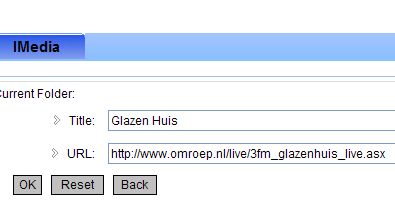
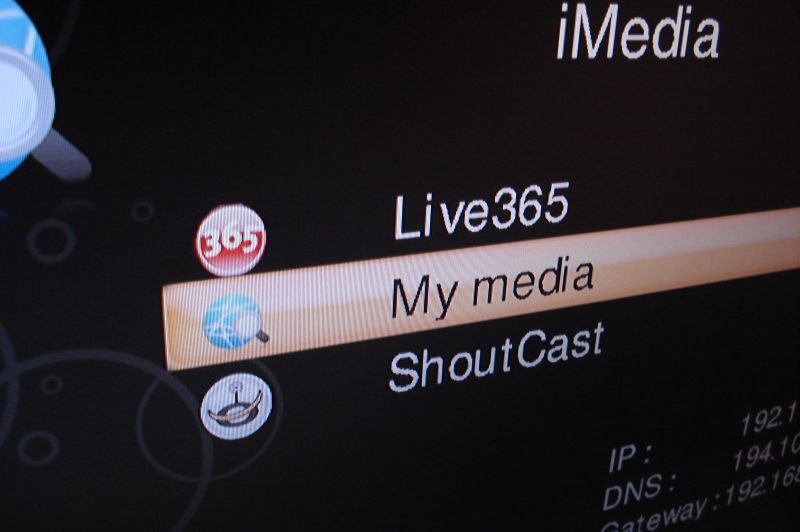
Wil je tijdens je vakantie lekker ‘Het Glazen Huis’ volgen op je CFULLHDMA vul dan in de iMEdia sectie de volgende link in:

http://www.omroep.nl/live/3fm_glazenhuis_live.asx

En je kan live alles volgen wat er in en om Het Glazen Huis gebeurd

update: voorbeeldje

voorbeeldje

wel versie 1.13.02 (beta) gebruiken. Veel van die stream servertjes hebben vaak een verkeerde mime type. 3FM gebruikt: video/x-ms-asf en ik geloof dat pas sinds 1.13.02 we erg veel asx mime-typen er extra erin hebben gezet zodat meer streams ondersteund worden (problemen van anderen oplossen)

HDMI Auto Sync

Written on December 15th, 2008 by Dennisone shout

The upcoming beta release of the CFULLHDMA has HDMI Auto Sync.

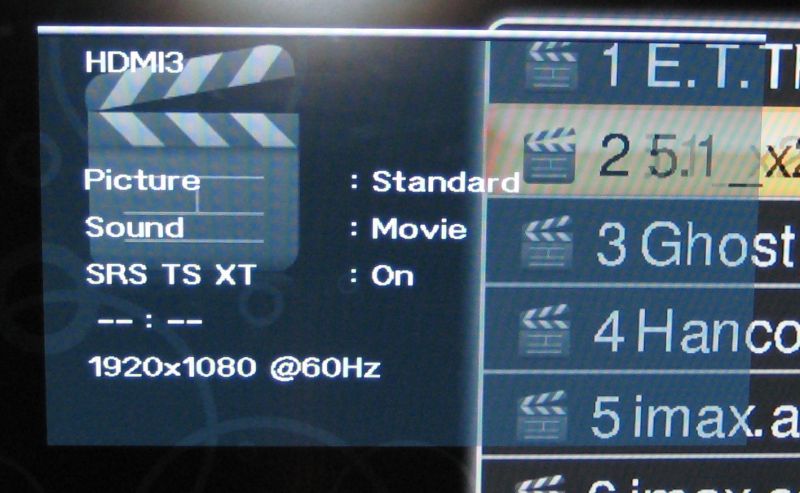
This means following: if you have a TV supporting EDID you see the available resolutions of your TV. When playing video the CFULLHDMA will detect what is the frame rate and will adjust the screen resolution accordingly.

img_1358

In above image you see the resolution at 60Hz. We start a movie with 24Hz and than we get the folowing resolution seen on the TV

(you will see the loading icon, the screen will adjust, loading icon will disappear, than re-appear and the TV will show th 24hz)

As seen in the image below

img_1359

What to expect next .. CFULLHDMA beta 1.13.xx

Written on December 15th, 2008 by Dennis6 shouts


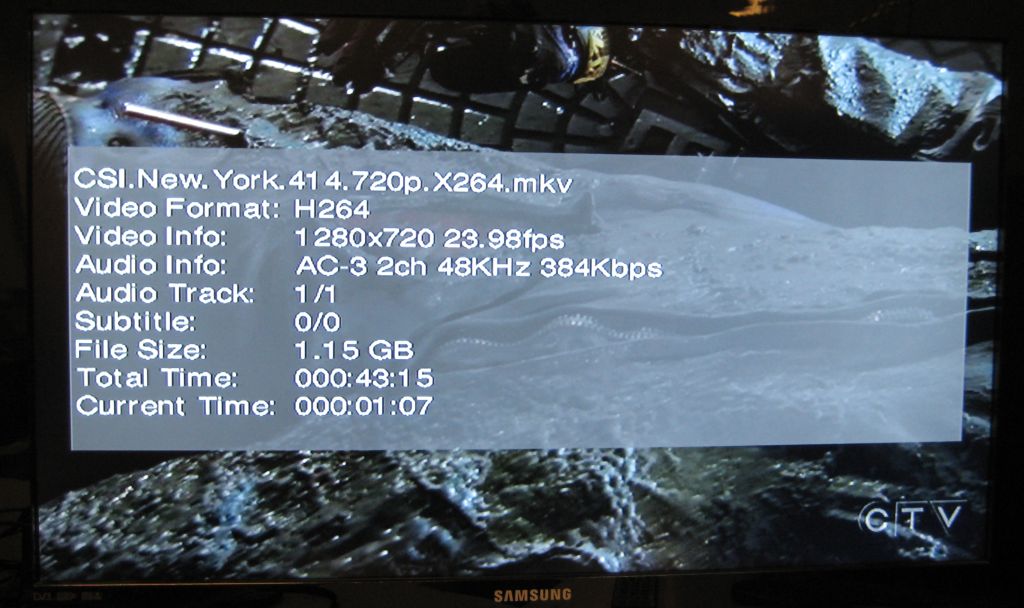
img_1356

To be released: 1.13.xx firmware CFULLHDMA

1. Support showing more detail video information by pressing DISPLAY key twice.
2. Support HDMI auto sync with the frame rate when playing video files.
This function will only be enabled when HDMI EDID can be read.
most important fix:
3. RT8169 driver could not work correctly in some boards.